





お知らせ
Z-aNアカウント新規登録方法(How to register a new Z-aN account)
2020年7月20日
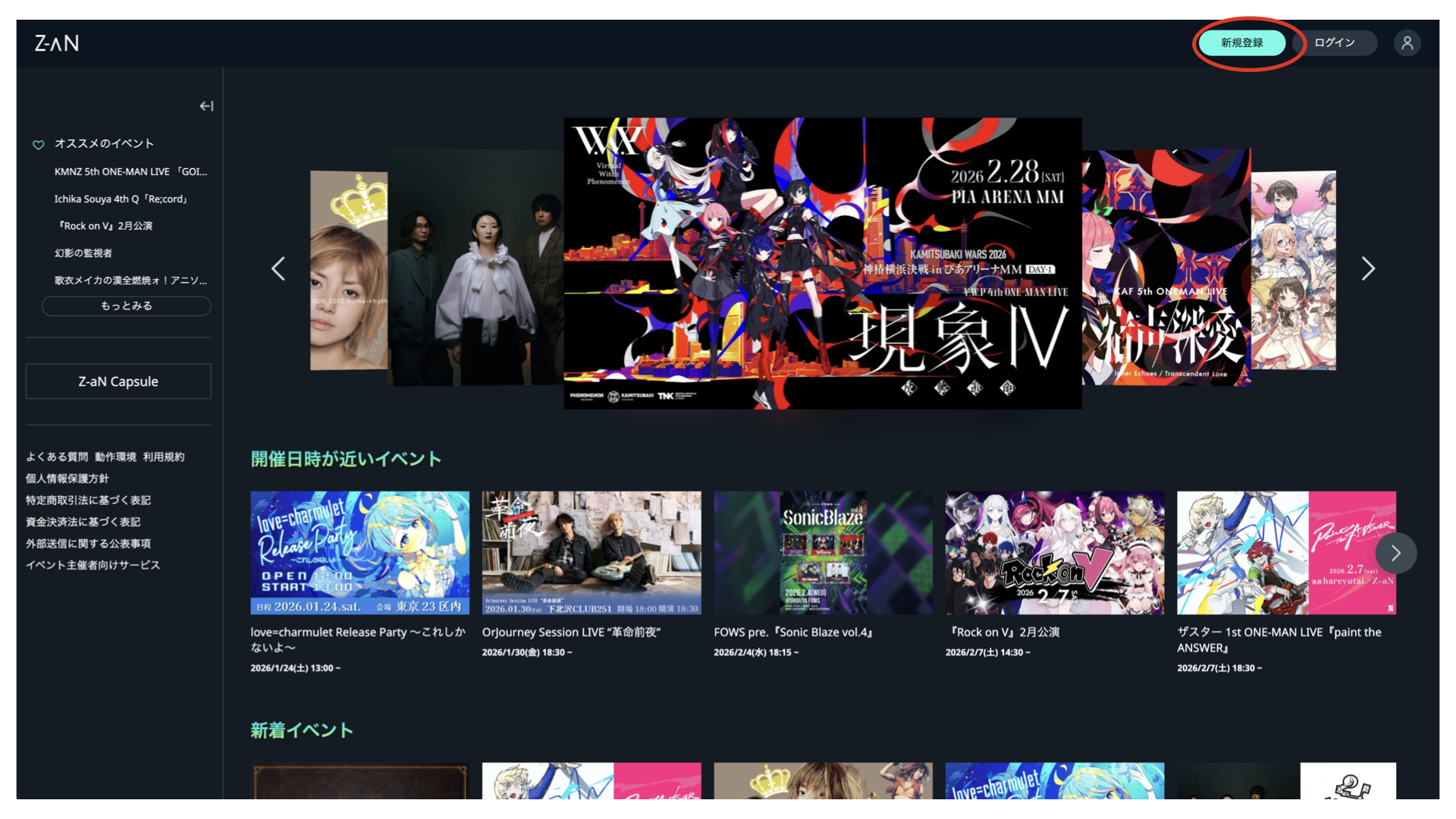
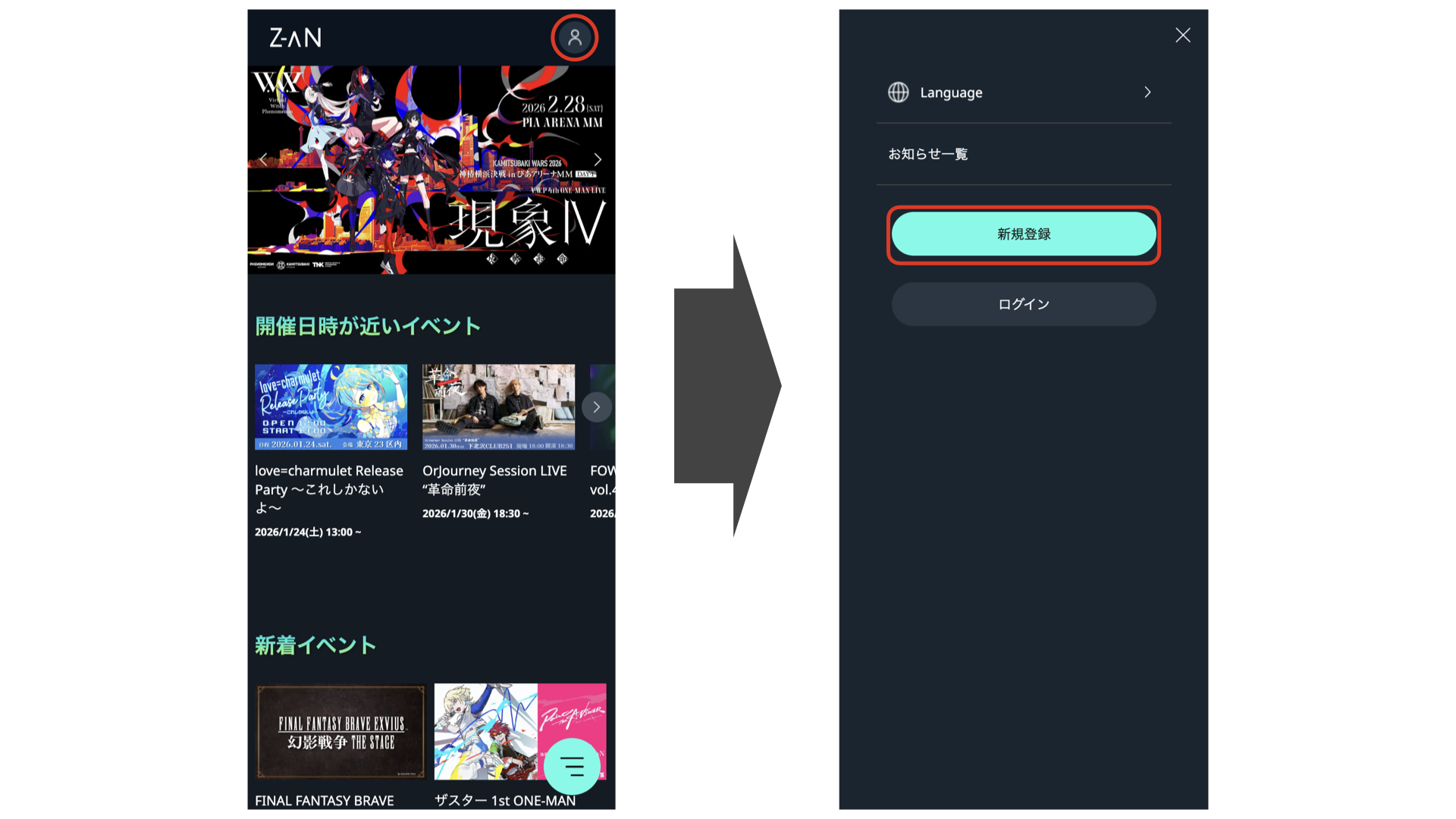
1. Z-aN TOPページにアクセスし右上の「ログイン」を選択(Access the Z-aN Website and click "Login" on the upper right. )
【PC】
【スマートフォン】
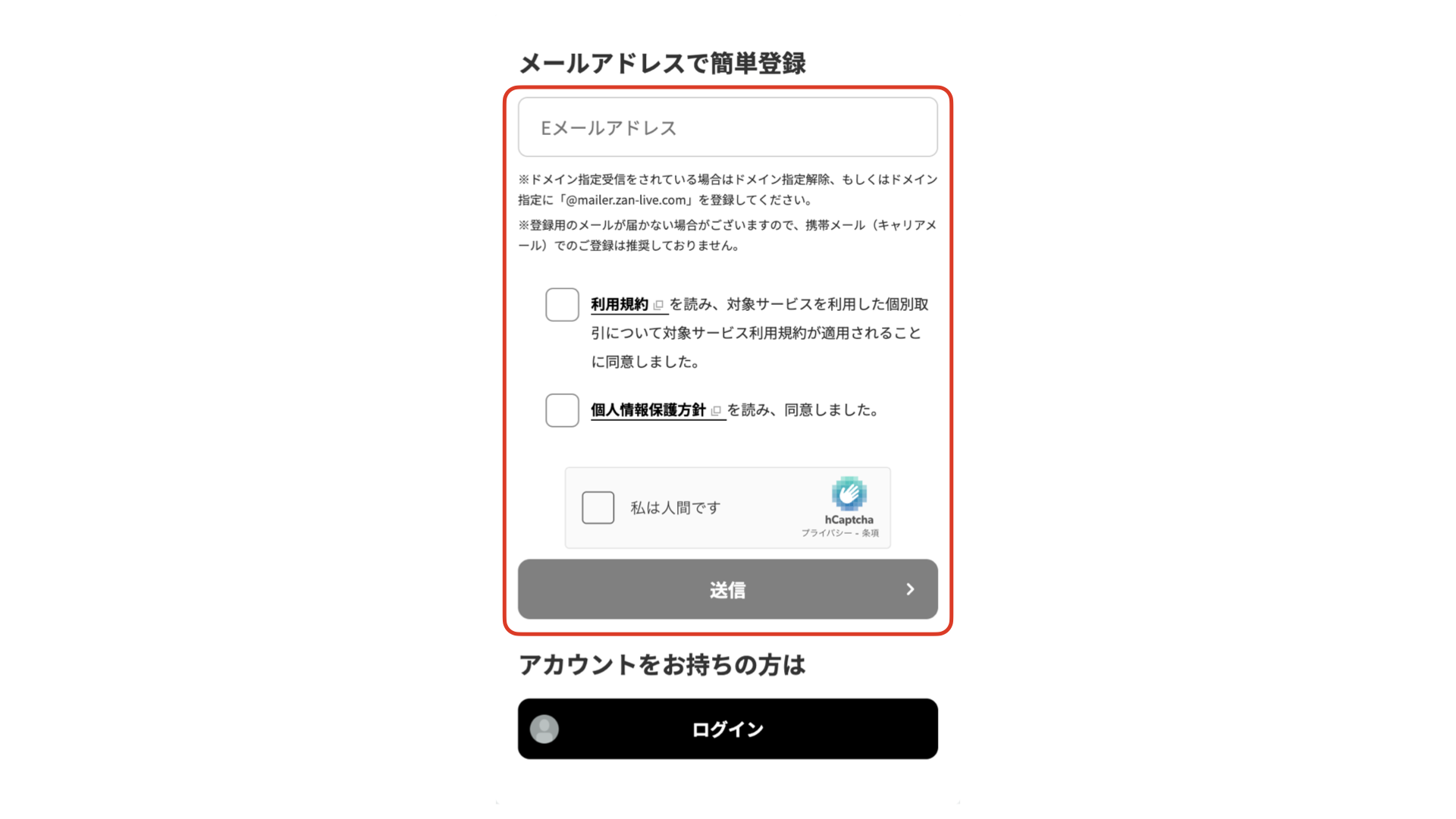
2. メールアドレスを入力後、「利用規約」と「個人情報保護方針」を確認しチェックを入れ送信(Input your e-mail address, check the checkbox of "Terms of Service" and "Privacy Policy", and click the send buttun. )
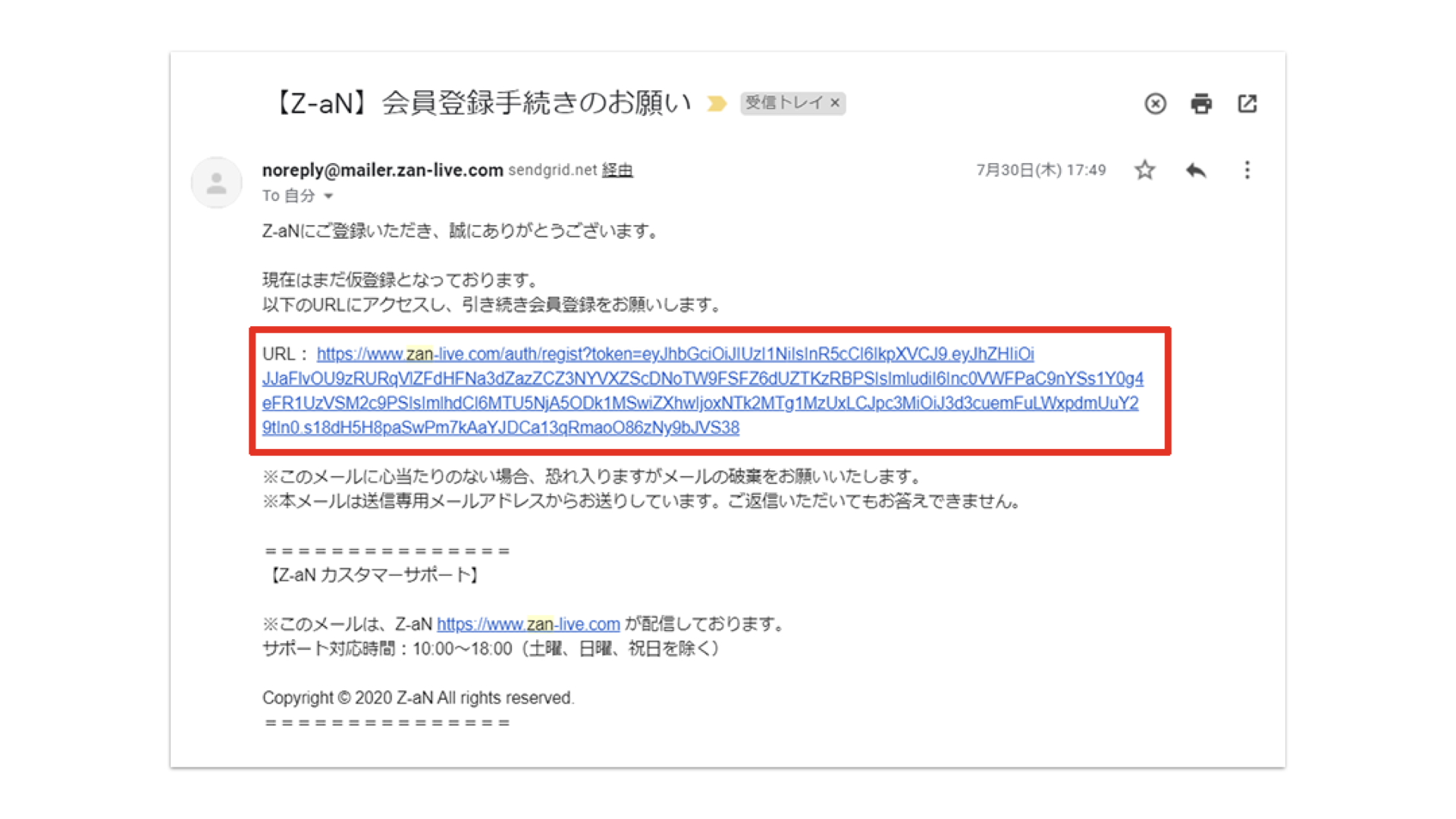
3. 届いたメールのURLをクリック(Click the URL with email you received. )
4. 「ユーザーネーム」「生年月日」「パスワード」を入力し「確認画面へ」を押す(Input "Username", "Date of Birth" and "Password" and click "Confirm" button. )
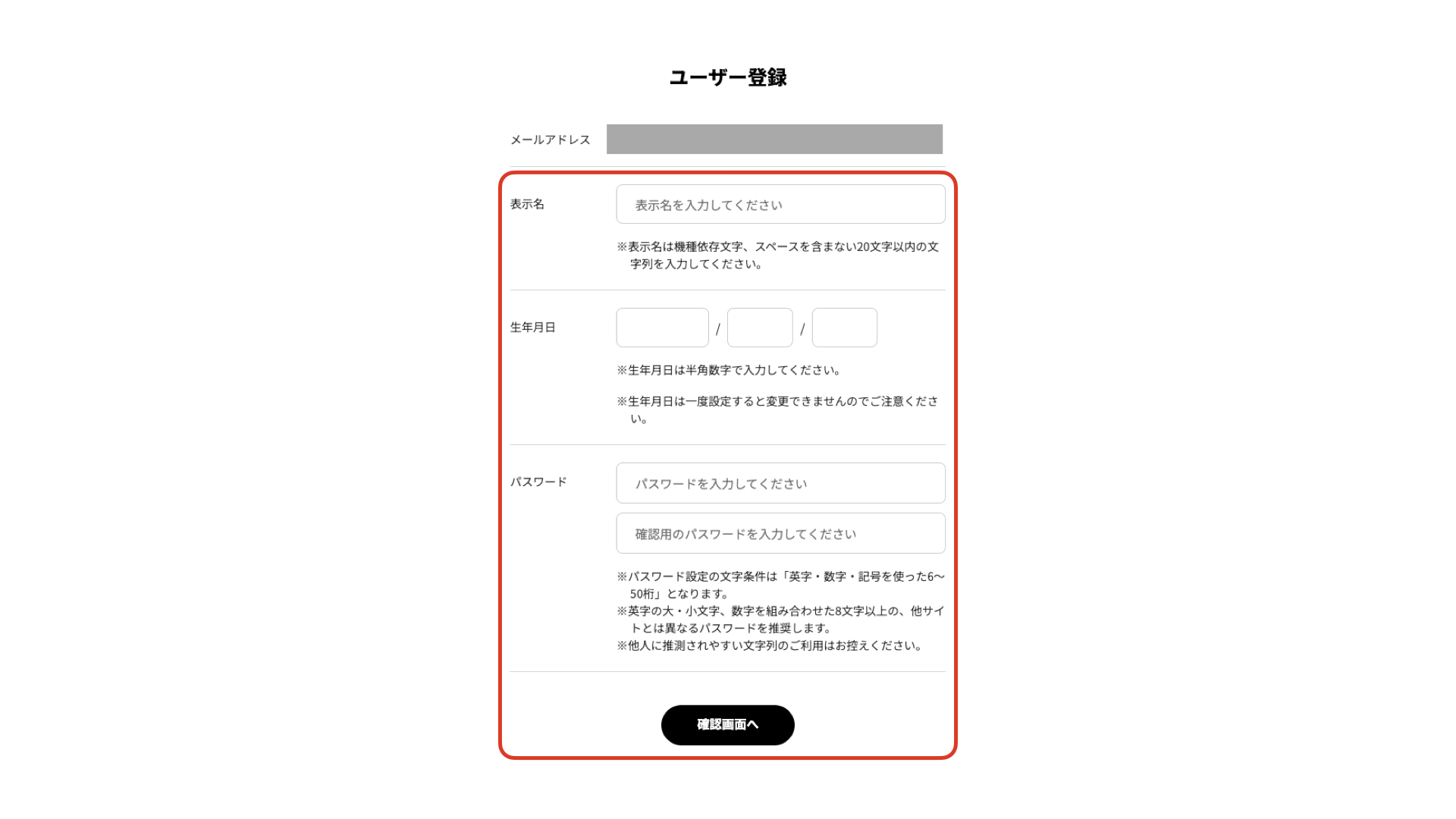
入力完了後、Z-aNへログインした状態でTOPページへ戻ります(After completion of registration for Z-aN , please go back to the Z-aN TOP page while keeping you logged in. )